Your system protection function is turned on, so the driver installation may take too long.To avoid this, follow the steps below to turn off the system protection function before installing the driver. |
|||
|
|||
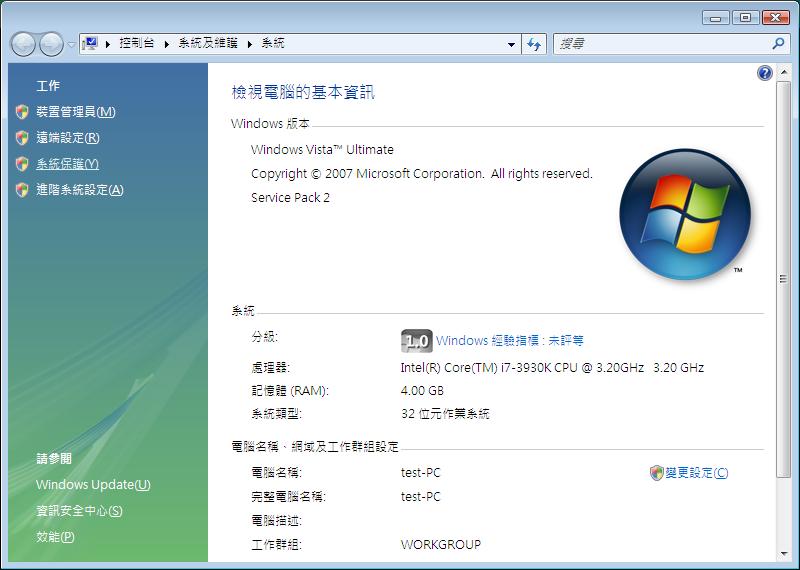
1.Access the system protection option. |
|||
 |
|||
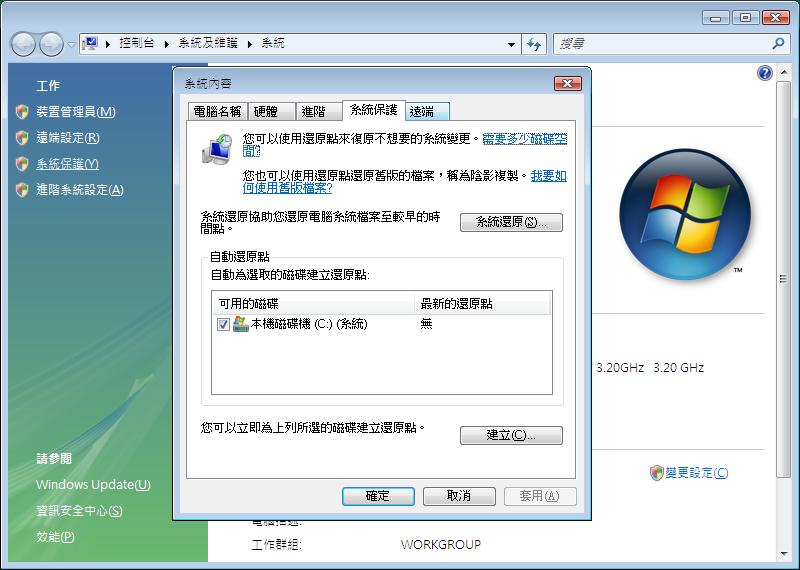
2.Unselect the system disk check box and click "Turn off system protection." |
|||
 |
|||
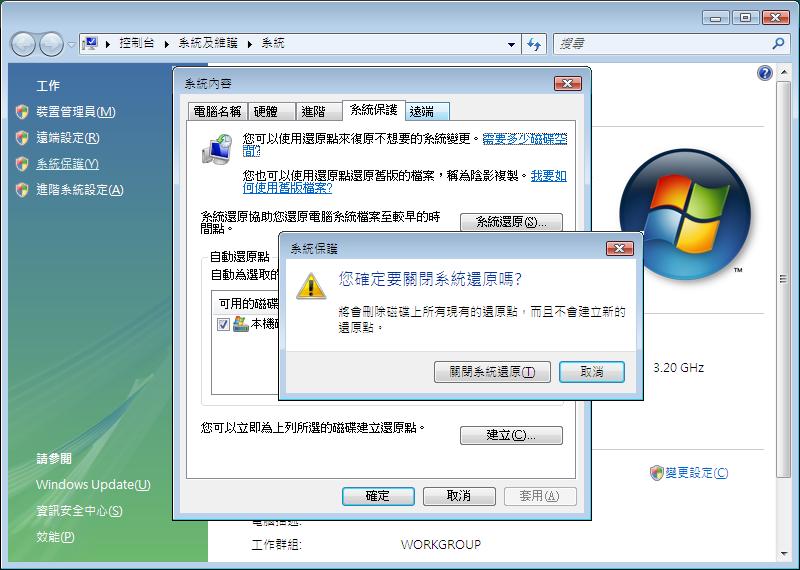
3.After completion, the system protection will be turned off. If you want to turn it on, please reverse the steps above. |
|||
 |
|||
|